 ATLAS
Get ATLAS
Your AI work,
in one place
A local Windows workspace for Claude Code, Codex and the context behind your projects.
Free and open source · Windows x64
Bring your own AI account. Provider charges apply separately.
Choose what goes in
Your next request, with the context you select.
Choose your sources, then preview.
Try the example. Nothing is sent to an AI provider.
A view of the whole project
See what’s working, what needs your attention and what finished. Then open the work that matters.
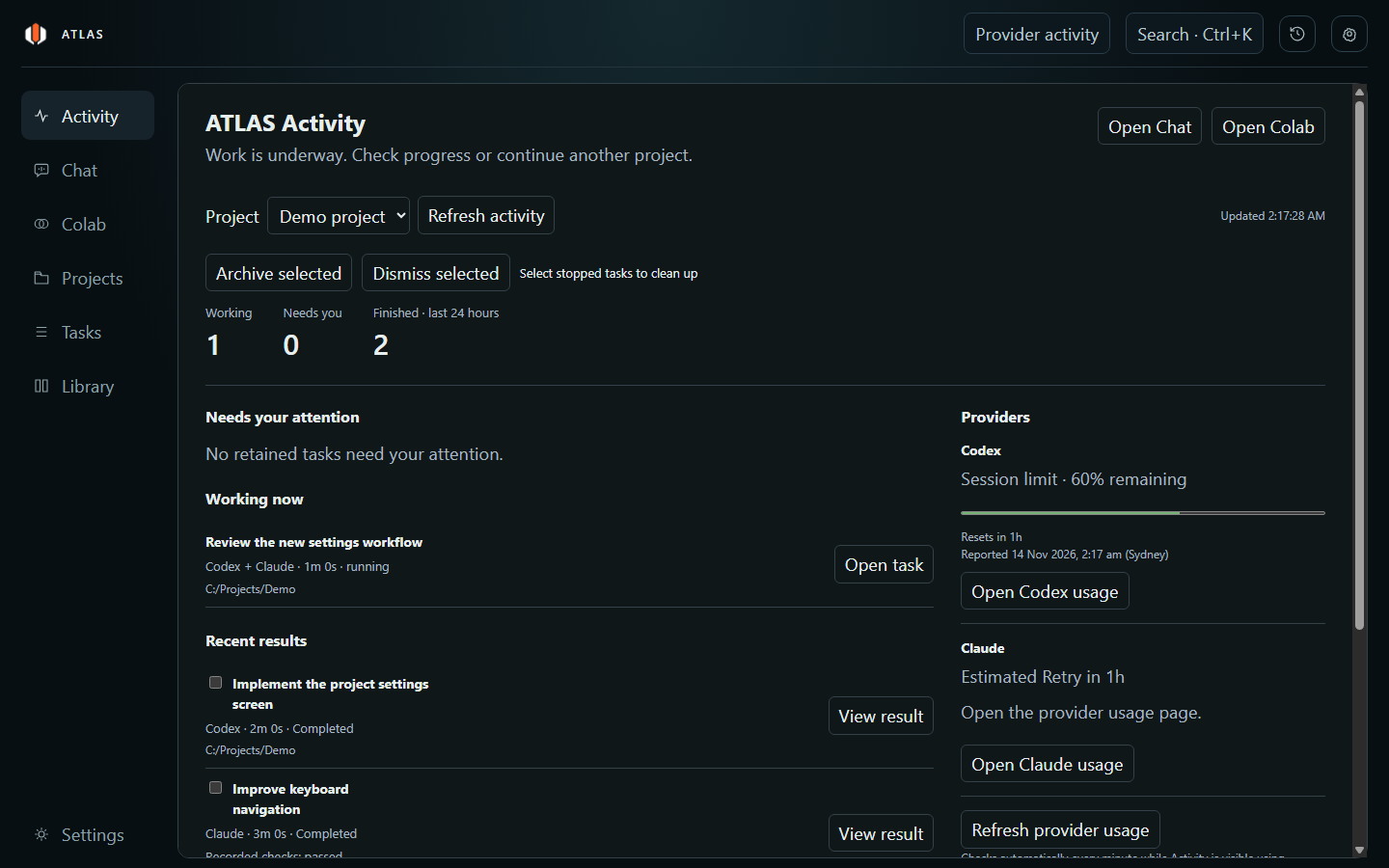
Activity brings your retained tasks, results and supported provider allowance reports together.
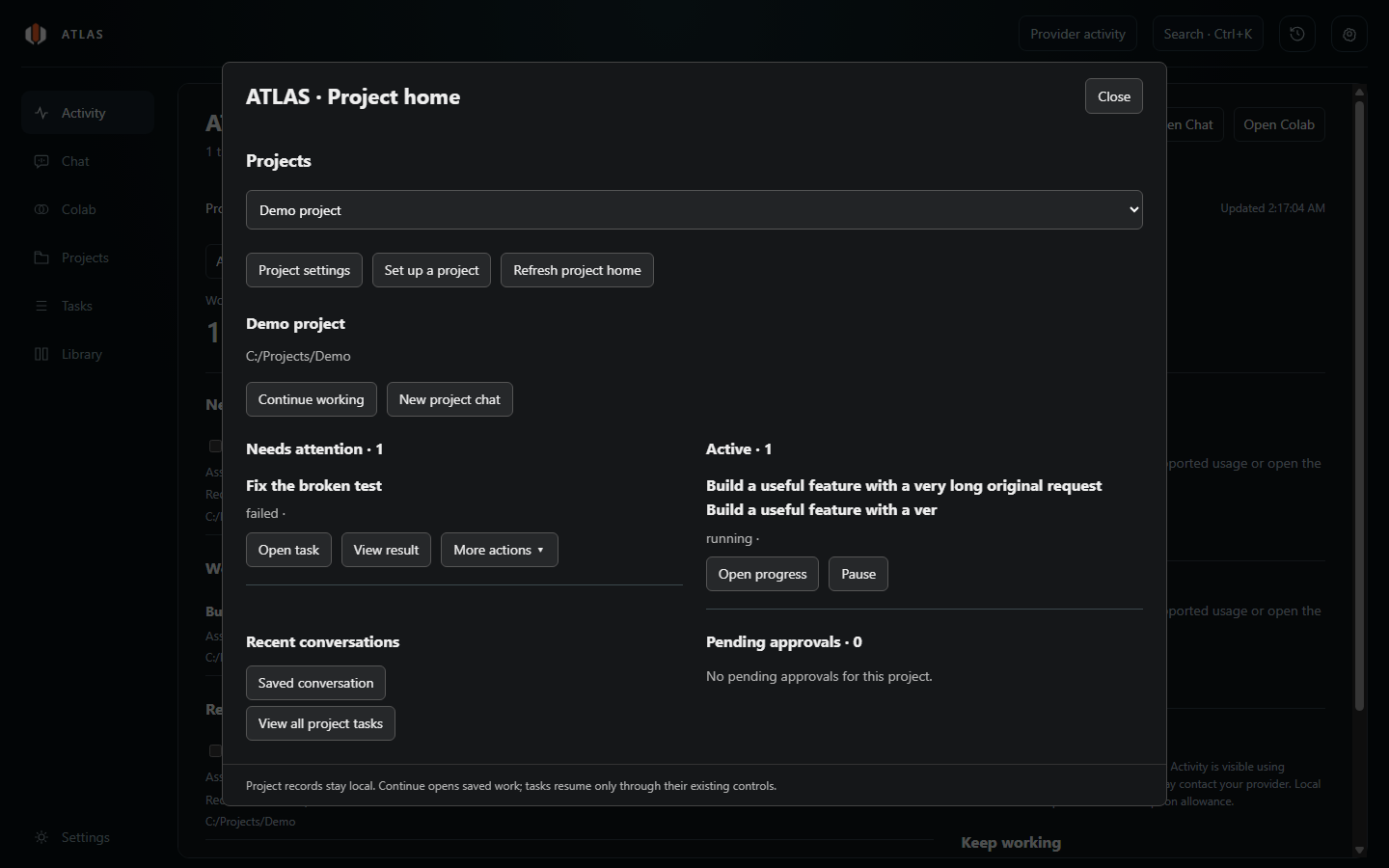
Project home connects conversations, retained tasks and review actions to the selected project.
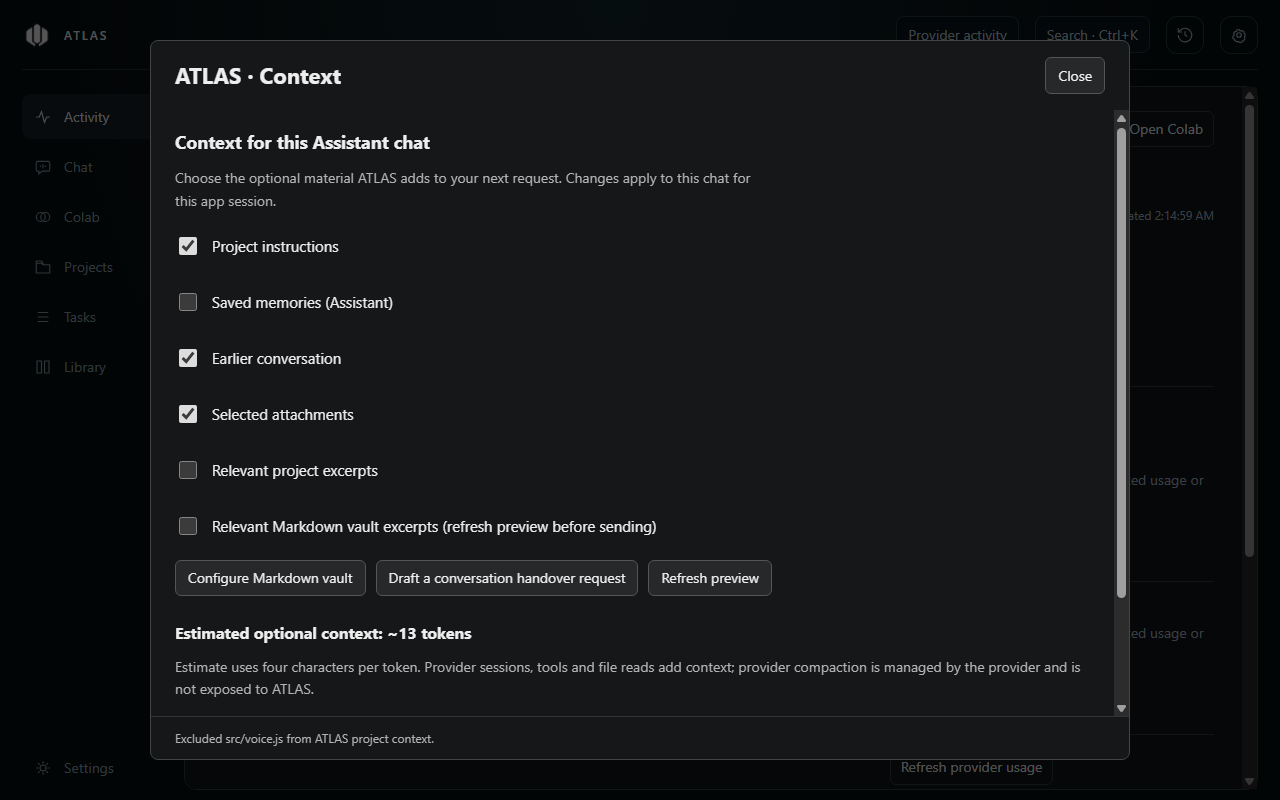
Choose optional context per chat and refresh the Markdown preview before sending.
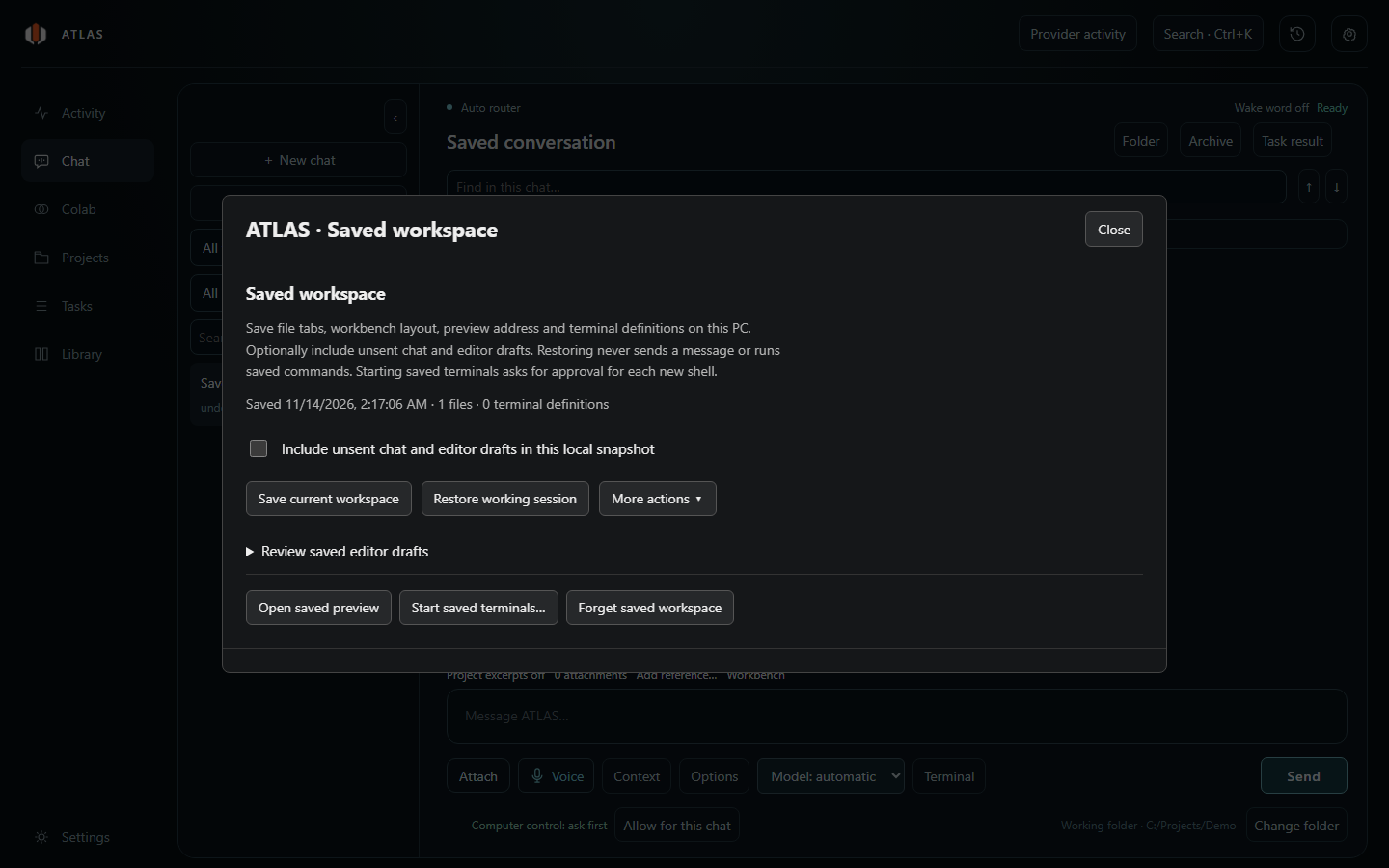
Save a working session. Restore it without automatically sending a message or running a command.
Real ATLAS interface captures with demonstration projects and sample usage values.
Keep your place
A project is more than its last message. Keep conversations, drafts and the working session close to the files.
Come back to the project
Find recent conversations and unfinished work without rebuilding the context of your day.
Return to your workspace
Save file tabs and layout. Include unsent drafts when you choose, with checks for later changes.
Context stays a choice
Select the material that belongs in each chat. Review optional Markdown excerpts before you send them.
- Your notes stay yours. Connect an Obsidian vault or a Markdown folder as an optional, read-only source.
- Every chat chooses. A selected folder doesn’t automatically grant every conversation access.
- You approve the work. Context previews and tool permissions remain separate controls.
Local records. Connected AI.
ATLAS keeps its project records on your PC. Requests and the context you approve are sent to your chosen provider. Provider processing and account terms still apply.
Voice features start off on a new installation. Enable them only if you want to use them.
Start your next project here
Download ATLAS, connect your own provider account and choose a project to work on.
Download for WindowsVersion 0.12.1 · Windows x64 · Free under the MIT licence
Before you install
The Windows installer is currently unsigned. Windows application-control policies may prevent it from running.
ATLAS doesn’t include an AI subscription. Use your own supported provider sign-in; usage and limits are managed by that provider.
A few useful answers
Getting started or checking the details? Find the essentials here.
Explore the setup guide ↗What do I need to get started?
A Windows x64 PC and your own supported provider setup. Follow the setup instructions to install and sign in to the provider CLIs you want to use.
Open the setup guideIs ATLAS free?
Yes. The current release is free and the source is available under the MIT licence. Provider subscriptions, API usage or other provider charges are separate.
Read the licenceDoes everything stay on my computer?
ATLAS stores its local records on your PC. When you use a connected AI provider, your request and included context are sent to that provider. It is not a fully offline AI service.
Read the privacy documentationCan I use my Obsidian notes?
Yes. An Obsidian vault or ordinary Markdown folder can be selected as an optional source. Notes are read-only, each chat opts in, and relevant excerpts require a fresh preview before sending.
Will it run tasks or use my microphone by itself?
Opening or restoring saved work does not automatically resume tasks or run saved commands. Existing tool approvals still apply. Spoken replies, wake-word listening and automatic follow-up listening start off for new installations.
Where can I get help or report a bug?
Use the GitHub issue tracker for ordinary bugs and feature requests. Review diagnostic information before sharing it, and keep credentials, private prompts and project content out of public reports.
Open the issue tracker